FeatherWeight
FeatherWeight brings pre-flight weight and balance planning to iPhone and iPad. We combined a familiar handbook chart, fuel planning and a shareable load sheet in an offline app that keeps an unfinished calculation ready to resume.
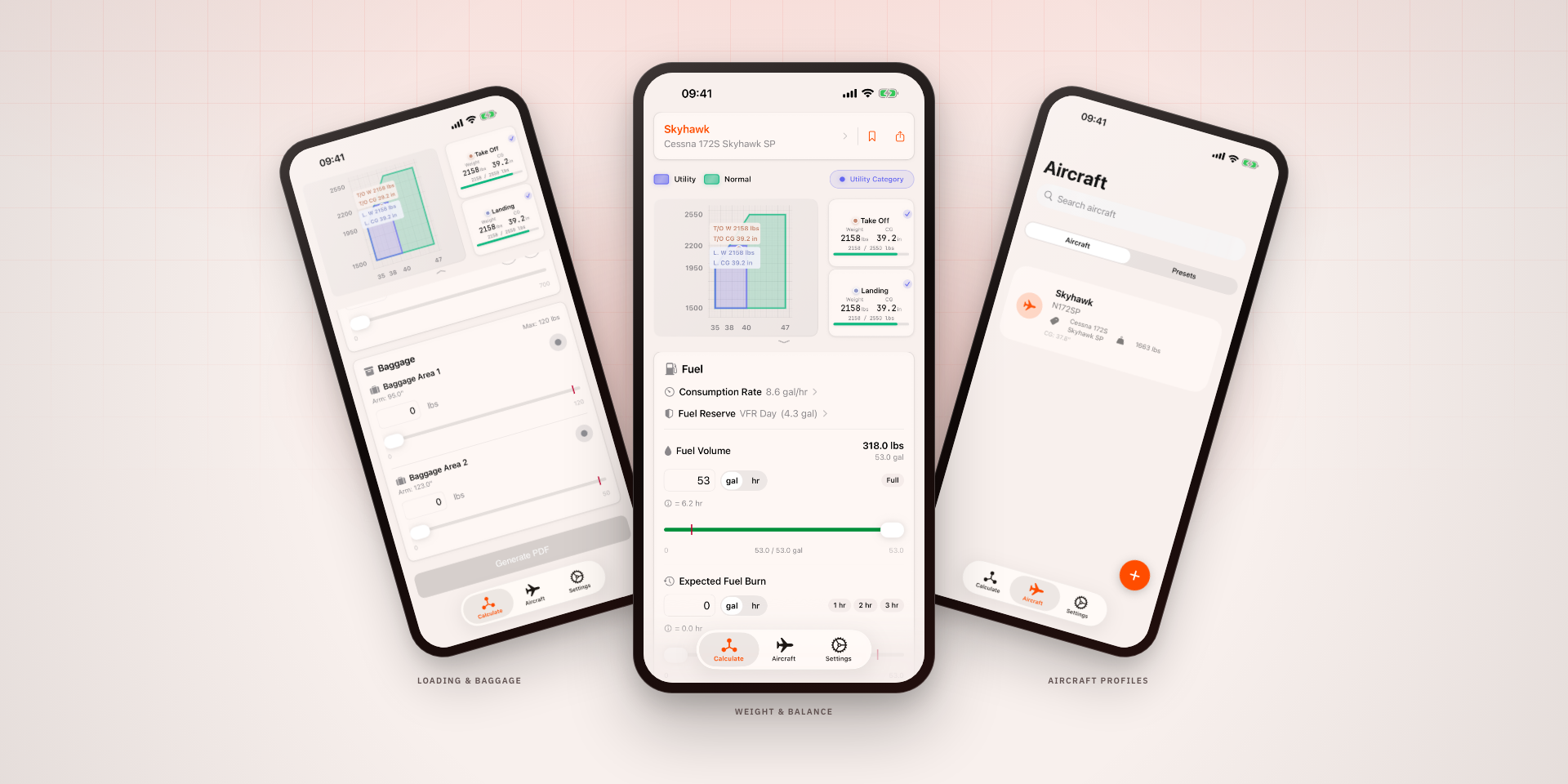
Pre-flight planning at the aircraft
Weight and balance planning brings together the aircraft, passengers, baggage and fuel before a flight. We built FeatherWeight to make that calculation practical on a phone, including at an airfield without a connection. A team member’s experience as a pilot informed the workflow, from entering the load to reviewing the chart and sharing a load sheet.
A familiar chart, with the limits that matter
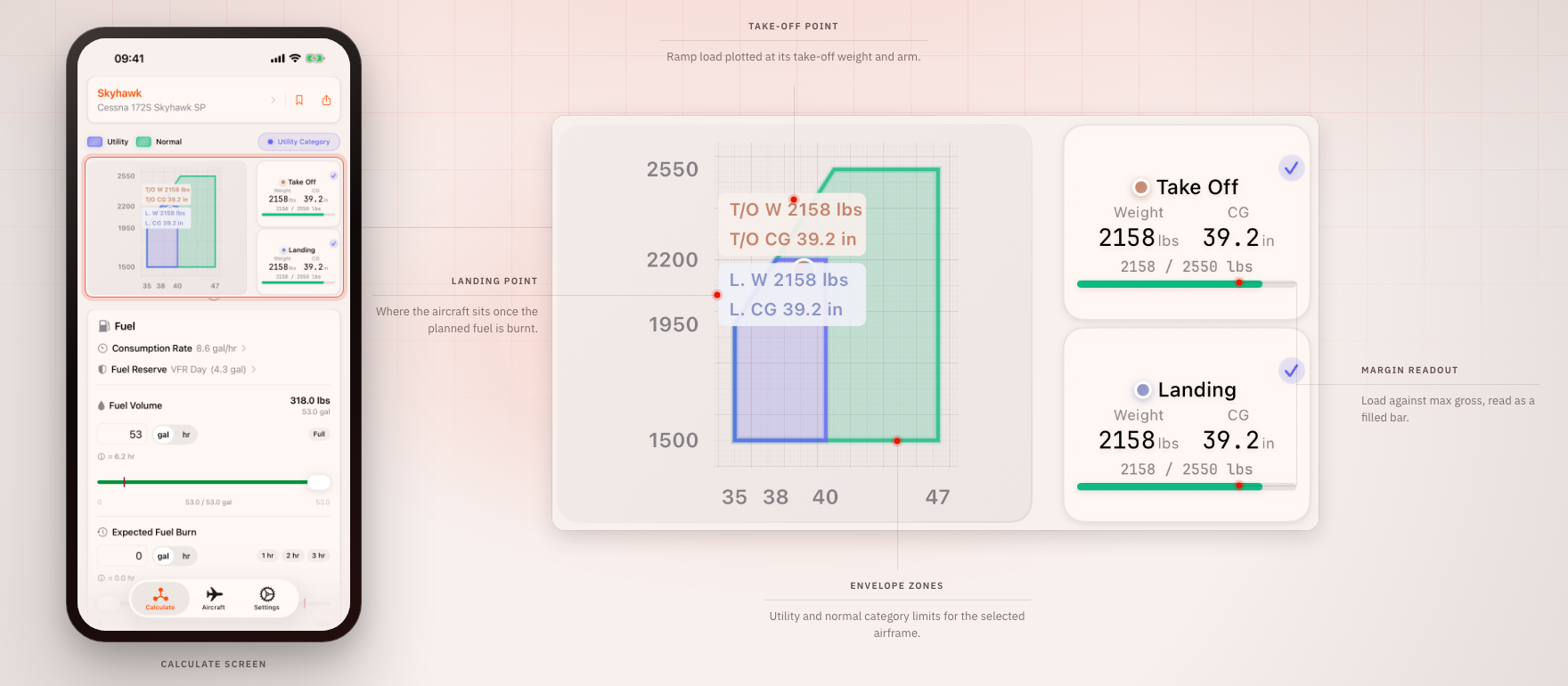
We followed the layout of the aircraft handbook instead of introducing a new way to read the result. The chart shows the operating categories and plots take-off and landing separately. Fuel burn changes the aircraft’s weight and centre of gravity, so checking the departure load alone would leave part of the planned flight out of view.
The calculation also follows the changing balance limits along the handbook’s chart. A single fixed limit would be incorrect at lower weights. We modelled those boundaries alongside the loading positions and baggage limits, so the figures and warnings correspond to the envelope shown on screen.
What does removing fuel cost in flying time?
Pilots can enter fuel by volume or endurance, using a consumption rate for the current flight when it differs from the aircraft’s saved rate. As they adjust the fuel quantity, endurance updates alongside the load. This makes the tradeoff between weight and available flying time visible during planning, with reserve settings included in the calculation.
A record to take beyond the screen
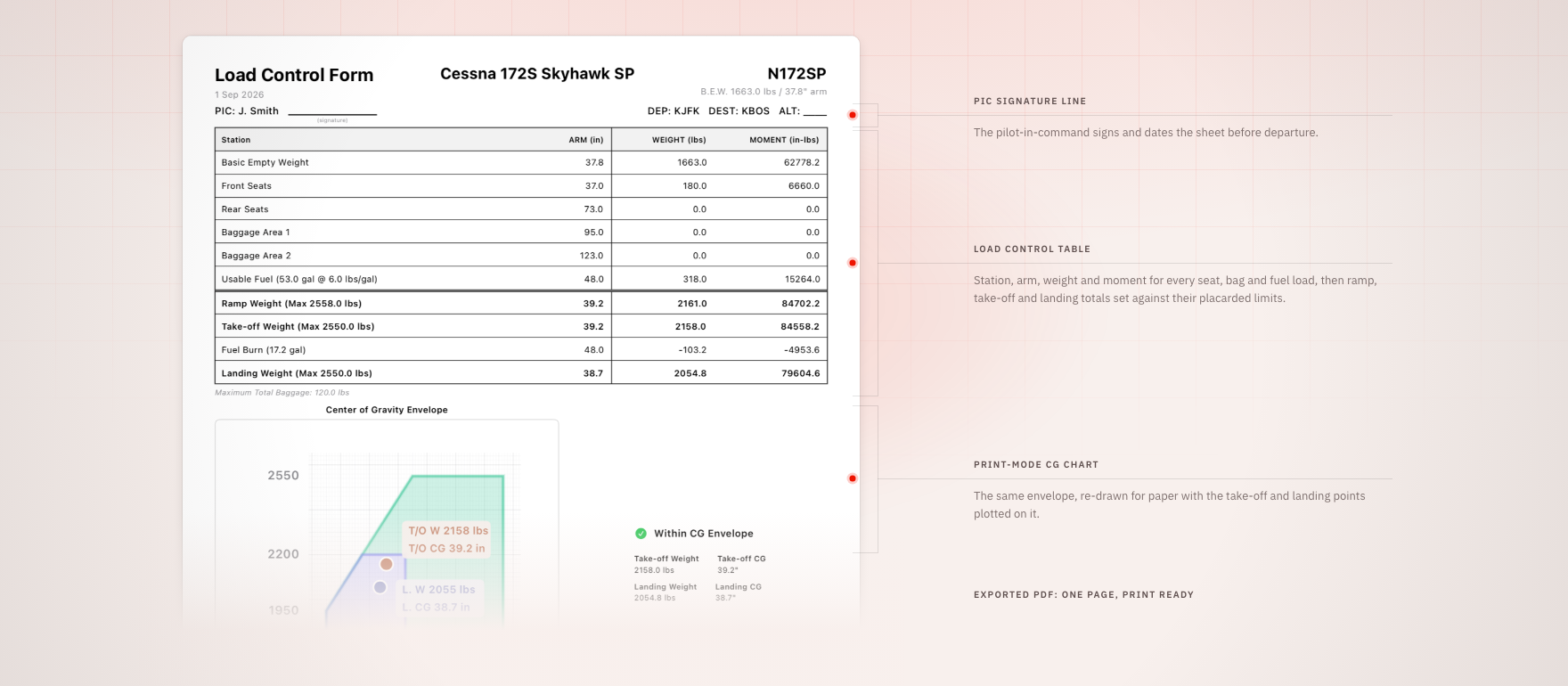
The exported PDF brings the loading positions, flight totals and chart together on one sheet, with a signature line for the pilot. It leaves through the phone’s share menu. We kept the figures consistent between the screen and the export so the document records the calculation just reviewed.
Aircraft data, settings and the current load stay on the device. The app works offline and restores an unfinished calculation when reopened. FeatherWeight is available free on the App Store for iPhone and iPad, with the layout adapting to the larger display.