Copylog
One of our teammates built a clipboard manager for his own Mac. We published it as Copylog, keeping the idea simple: find something you copied earlier, use it again, and keep your clipboard history on your own machine.
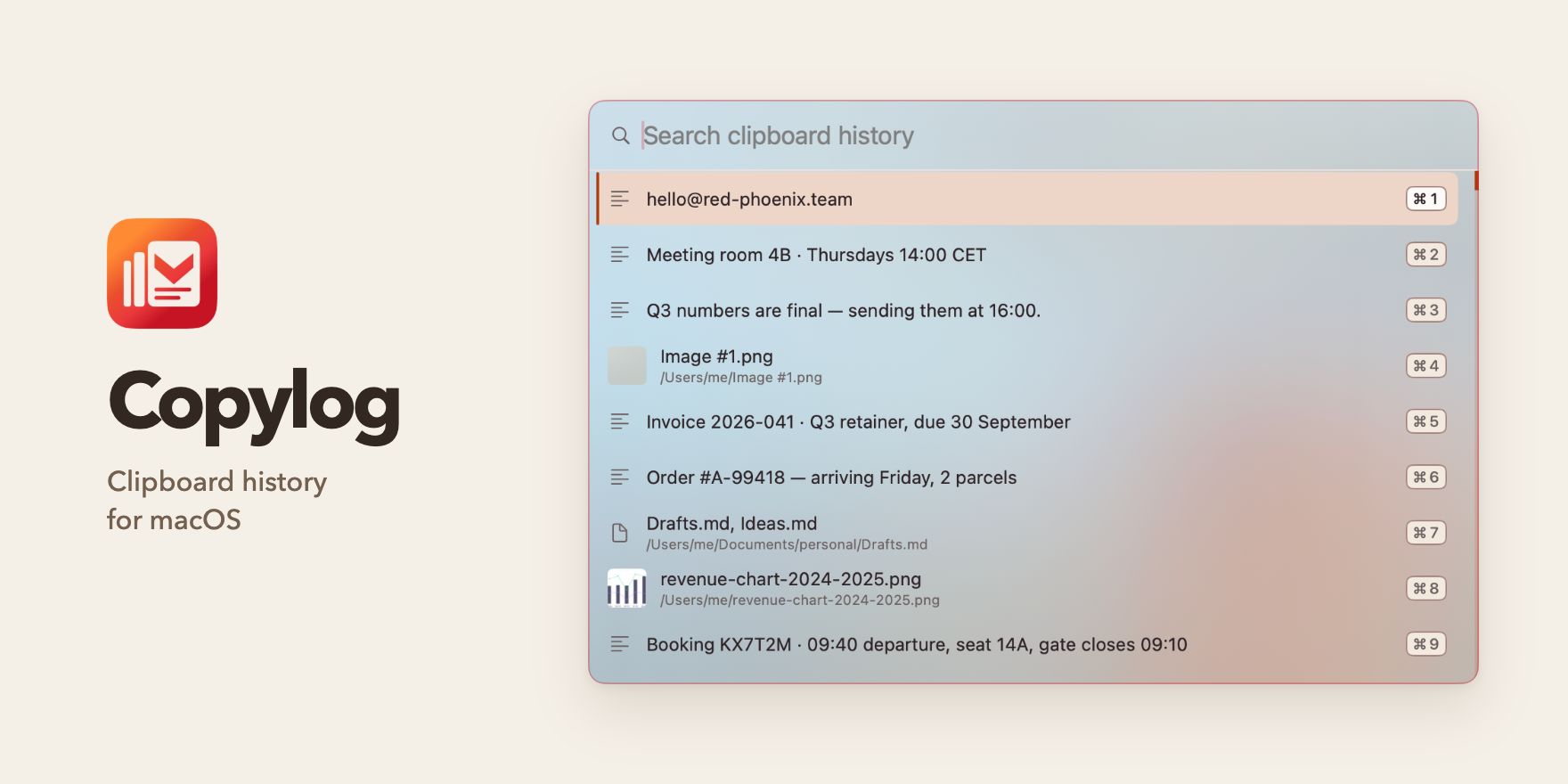
It started with one person’s clipboard
Copy something, copy something else, then realise you still need the first thing. It is a small interruption, but it sends you back to the document, message or browser tab you just left. One of our teammates built a tool for himself to keep those earlier clips within reach.
We found the tool useful ourselves, and the problem was familiar well beyond our team. That was enough reason to publish it. Copylog keeps the same straightforward purpose: save a searchable clipboard history and make it easy to reuse something from it.
How little can a useful app ask of you?
Copylog lives in the menu bar, without a Dock icon or a window to keep open. A keyboard shortcut brings up a picker for saved text, images and files. Search for a clip, select it, then paste it into the app you were using. The interaction fits into the copying and pasting people already do.
Pinned clips keep frequently reused material close at hand. The history limit is adjustable, so each person can choose how much to retain. These controls let the app serve both an occasional search for something just copied and repeated use of the same snippets.
Clipboard history belongs on your Mac
A clipboard can contain work documents and private messages. Copylog stores its history locally and makes no network requests. There is no account to create, and the app does not send usage telemetry. Keeping the app self-contained also means searching past clips works offline.
The app respects clipboard flags for concealed, transient and automatically generated content, allowing it to skip clips that other applications mark as sensitive or temporary. Users can also choose applications to ignore when Copylog can identify the source. That gives people control over capture as well as retention.
A personal tool, now available to others
We released Copylog through the Mac App Store and built its website with product information, privacy details and a support page. The app is a one-time purchase, with no subscription. It supports Apple silicon and Intel Macs running macOS 14 or later.